Type a name — AI does the rest.
The Quick-Fill box turns a bare product name into a complete, publish-ready eBay listing in about ten seconds.
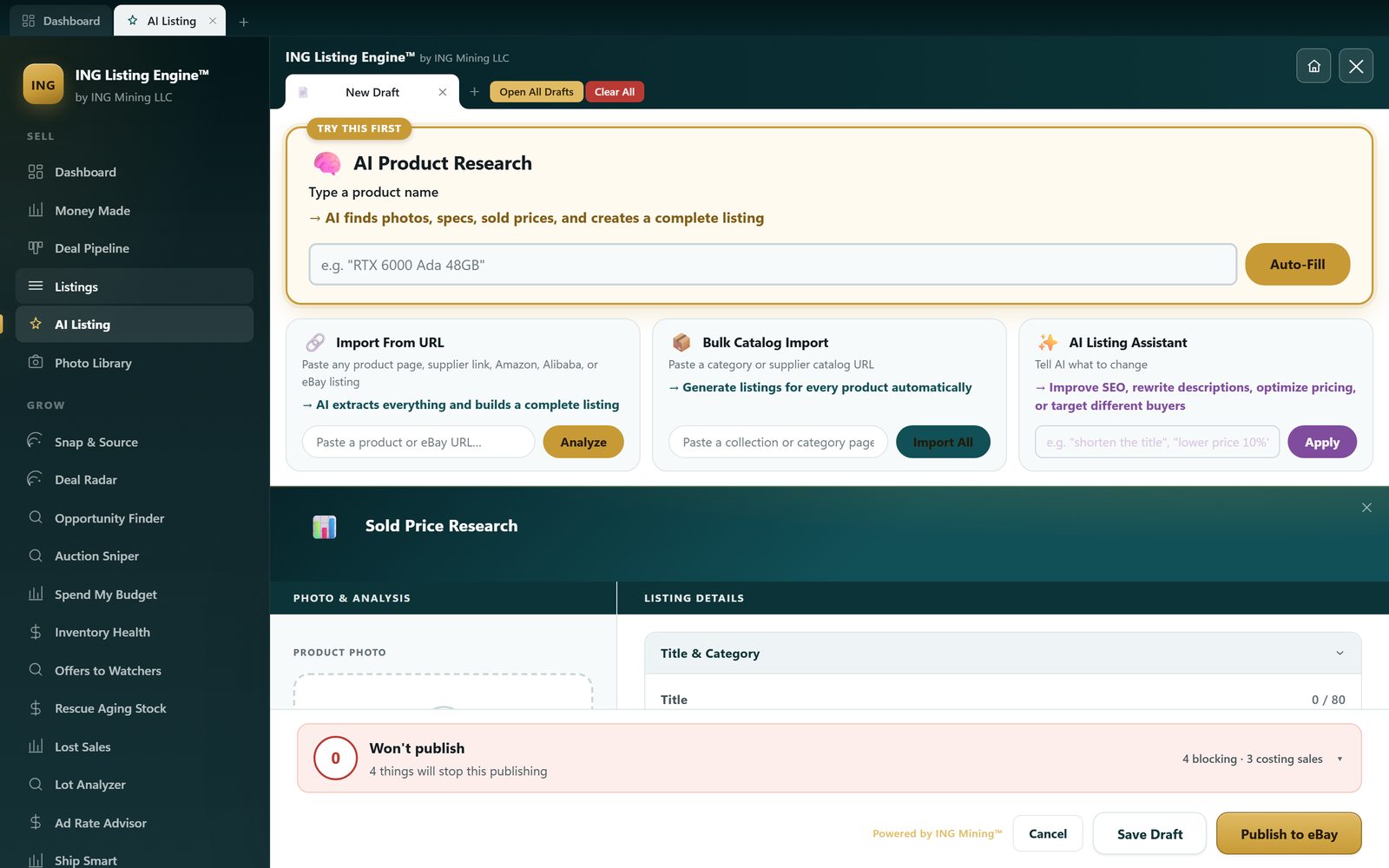
Most listing tools still make you paste a URL or upload a photo before they do anything. Quick-Fill starts from nothing but a product name. Type "Bitmain Antminer S19 95TH" and the AI researches the item, pulls a clean product photo, writes a keyword-optimized title, drafts the description and item specifics, and selects the correct eBay category — all at once. If the item is in front of you rather than in your head, the photo path does the same job from a picture: what a vision model can and can't read off one photo.
What it fills in for you
- Product photo — finds a clean, listing-ready image for the item automatically.
- Keyword-optimized title — written to the 80-character eBay limit and packed with the terms buyers actually search.
- eBay category — picks the right leaf category and ID so your listing lands where shoppers look.
- Item specifics & description — structured aspects and a full HTML description, pre-filled and editable.
- Sold-comp research — recent sold prices for the same item shown right alongside, so you price with real data. How clean that data actually is: where sold-comp matching breaks down.
How it works
Why it matters
The slowest part of listing isn't typing — it's the research: what to call it, which category, what it's worth. Quick-Fill collapses all of that into a single step so you can list dozens of items in the time it used to take to do one.
It tells you before eBay does
AI fills fields fast, which means it can fill them wrong fast. The bar along the bottom of the editor — the red one in the screenshot above — asks eBay what the chosen category actually requires and lists everything that would block the publish, separated from the things that merely cost you sales. You fix them in the editor instead of finding out from a rejected API call.
The full workflow, and where a competitor does it better, is covered in the guide to AI eBay listing software.