Built on a real, connected store.
This isn't a demo dashboard — it's your live eBay store: real listings, real inventory, real catalog value, straight from the official Sell API.
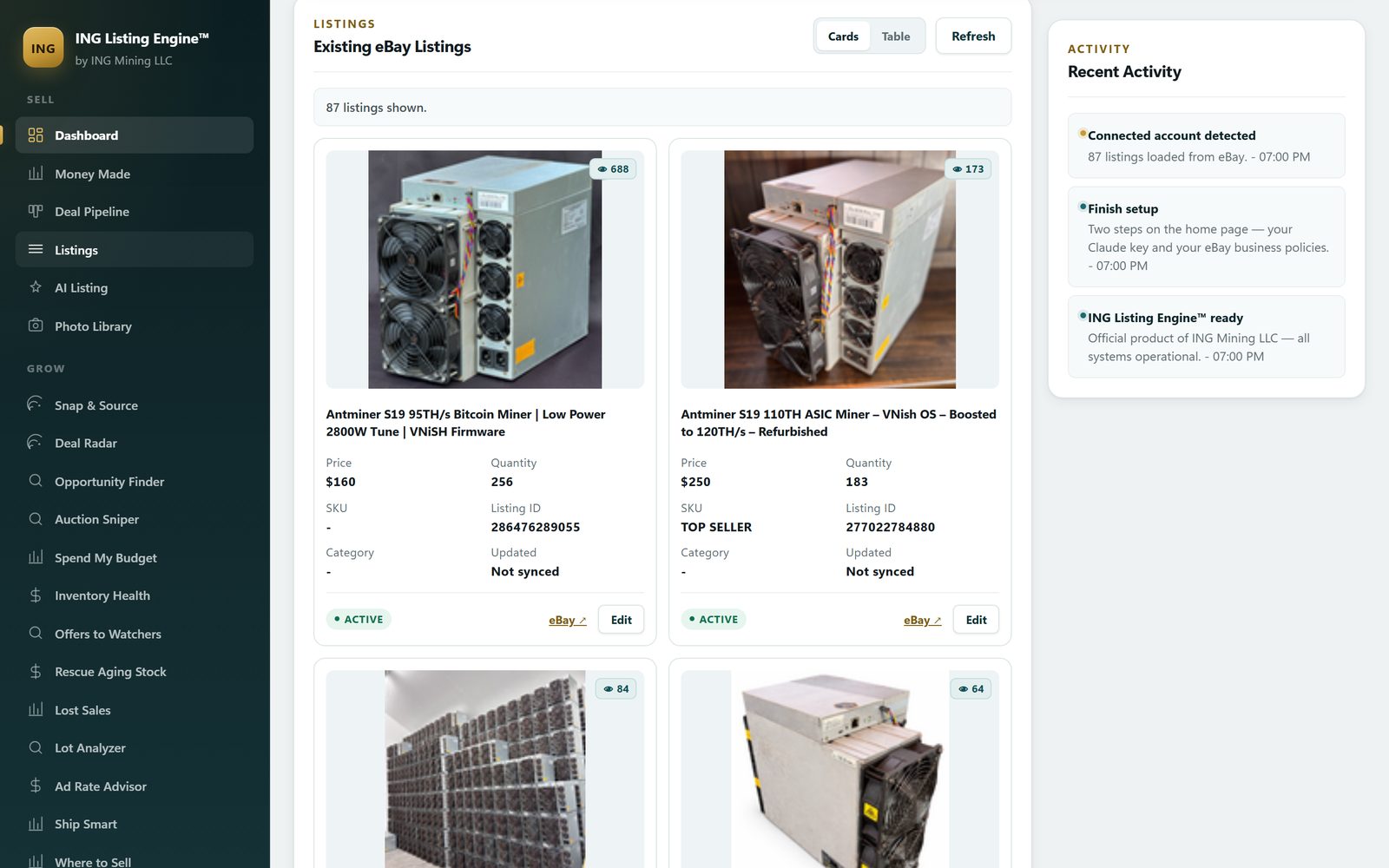
A lot of listing tools show you a pretty dashboard full of sample data. This one shows your store. Connect your eBay seller account once and the dashboard pulls your real listings, inventory quantities, view counts, and total catalog value directly from the official eBay Sell API.
What's live on the dashboard
- Active listings — everything currently live on your eBay account, as photo cards or a table.
- Inventory & catalog value — real quantities and the total value of your catalog at a glance.
- Needs-review queue — drafts and listings missing data, surfaced so nothing slips through.
- Two-way sync — import existing listings and publish new ones through the same official API.
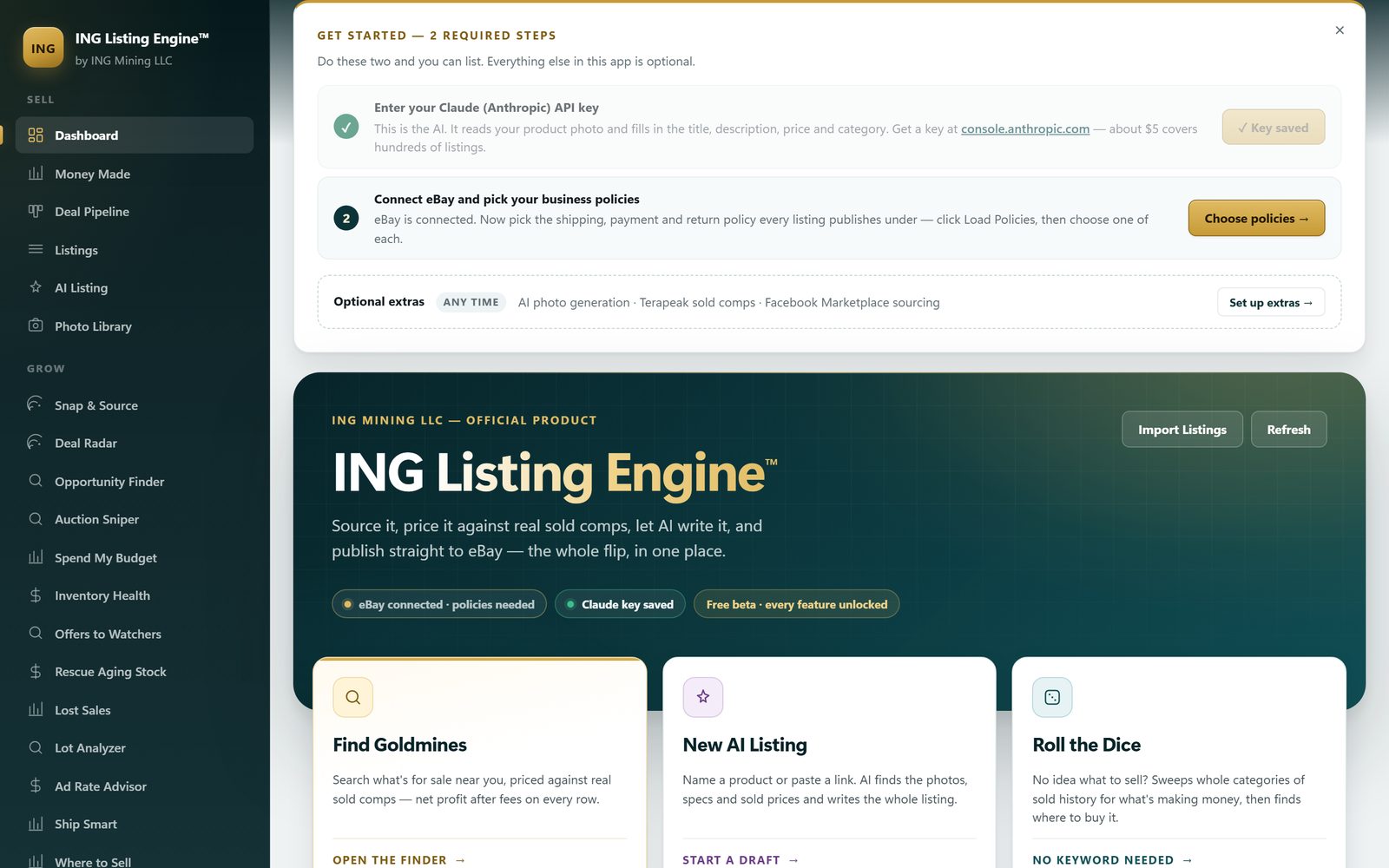
The screenshots on this page are the author's own eBay store — ASIC miners and datacentre hardware. Nothing here is sample data.
What "import" actually calls
Two eBay APIs, merged, because neither one is enough on its own. The
Trading API (GetMyeBaySelling, active list, 200 entries a page,
paged until eBay stops returning items) is the base, because it returns
every live listing — including the ones you created on the eBay website years
before you had ever heard of this app. The Sell Inventory API returns only
listings that were created through an API, but with better structured product data,
so it is merged over the top.
That merge is field-level, not wholesale, and the reason is worth stating: the Inventory API has no concept of a watch count, a view-item URL, a category name or a start time. Replacing the Trading record outright blanked all four on every API-created listing — and those are exactly the fields the inventory-health scan runs on. So those values are carried across explicitly rather than overwritten.
What lands, and the three fields that don't always
Per listing: item ID, title, SKU, current price, quantity available, gallery thumbnail, the public view-item URL, listing status, condition, primary category (name and ID), watch count, start time and quantity sold. The list arrives sorted by watch count, highest first — the closest thing eBay gives you to "who is nearly buying this".
Three fields are read opportunistically and never depended on, because eBay does not return them on every account or every listing:
- View count —
HitCountis present on some accounts and call versions and absent on others. When it is missing the listing still imports; the views column is simply blank rather than zero. - Buyer-paid shipping — missing on calculated shipping with no ship-to address, on freight and on local pickup. Whether it was stated is stored separately from what it was, so a freight machine with no shipping block is not silently treated as free postage and ranked to the front of the shelf.
- Category name on API-created listings — supplied by the Trading record when the Inventory record has none.
The four numbers on the dashboard, defined
- Active listings — imported rows whose eBay status is ACTIVE or PUBLISHED.
- Inventory quantity — available units summed across every imported listing, not a count of listings. A single listing with quantity 251 contributes 251.
- Catalog value — price × quantity, summed. It is the shelf price of everything you are holding, not a valuation and not a forecast: two machines at $250 with quantity 183 each read as $91,500, and none of it is money you have.
- Needs review — rows missing a thumbnail or a title, or not yet in a published state.
Connect once — and what it looks like when that breaks
The eBay sign-in returns two tokens: a short-lived access token and a refresh token that lasts about eighteen months. Every call checks the access token first and renews it from the refresh token when it has expired, which is why a store connected in July is still connected in December without anyone touching it. Restarting the app does not disconnect anything, even though the access token is usually gone by then.
The failure worth knowing about: if you decline any permission on eBay's consent screen, eBay issues an access token and no refresh token. Everything works for about two hours and then stops. The app names that case explicitly instead of showing a generic auth error — "Connected, but eBay didn't issue a refresh token" — and the fix is to reconnect and accept every permission. There is also a sandbox toggle, so you can point the whole thing at eBay's test environment before it touches a real account.
What it will not do to your store
Importing is read-only. Nothing on this screen edits, ends, relists or reprices anything on eBay — changes happen only when you publish a draft or accept a repricing suggestion, and both are explicit actions with a confirmation. It does not crosspost, and it does not delist elsewhere when something sells, because it is connected to exactly one marketplace. The full map of what connects, what is only read, and what is handed to you as a file is on the integrations page.
Once the store is connected, two things get interesting: listing new items with AI, and repricing the money already sitting in the old ones. If you have not connected an account yet, the setup guide walks the whole thing end to end in about ten minutes.