
Search for the item, then tick Sold Items under “Show only” in the left-hand column. That is the whole answer to how to see sold items on eBay, and it has been the answer for years. Two things about it changed recently, and both matter more than the click: eBay now asks you to sign in before it will show you that page at all, and the view it gives you stops after about 90 days.
We price used hardware against sold history every day — miners, industrial drives, servers, laptops — so that 90-day edge is not an abstraction here. Below: the click path on desktop and in the app, what the sign-in wall actually does, and a measurement of what the window hides, taken from our own store of completed sales rather than asserted. If your question is which tool rather than where do I click, start with Terapeak and the alternatives to it instead.
eBay put the sold filter behind a sign-in, and here is the measurement
On 10 August 2026 we loaded four eBay search URLs in a normal, signed-out desktop browser and recorded where each one landed:
| URL, signed out | What came back |
|---|---|
| Plain search, no filters | 200. Results rendered — “31,000+ results”, full left-hand filter column |
…&LH_Sold=1 |
Redirect to signin.ebay.com |
…&LH_Complete=1 |
Security check, then the same sign-in page |
…&LH_Sold=1&LH_Complete=1 |
Redirect to signin.ebay.com |
The first row is the control, and it is the part that makes the other three mean something: the same browser, on the same site, seconds apart, gets a full page of live listings and a sign-in wall depending on one URL parameter. So this is not eBay refusing us — it is eBay gating that specific view.
Three practical consequences. You cannot send someone a sold-listings link any more unless they have an eBay account and are logged into it. Anything automated that was reading sold prices while signed out has stopped working — extensions, scripts, spreadsheets pulling a URL. And the sign-in redirect carries a ru= parameter holding your original search, so once you log in you land on the results you asked for rather than on the homepage. Annoying, not fatal.
eBay’s Advanced Search form still renders the Completed items and Sold items checkboxes to a signed-out visitor, which is why this catches people out. The form looks available. Submitting it builds the same LH_Sold=1 URL, and that is what bounces.
How to see sold items on eBay, once you’re signed in
On desktop: search the item, then find Show only in the filter column on the left and tick Sold Items. Scroll — it sits below condition, price and buying format. The results reload with a sold date under each one.
In the eBay app: search, tap Filter, scroll to Sold items, turn it on, tap Show results. To see the full original listing rather than the summary card, open an item and tap See original listing.
By URL, which is faster than either: append &LH_Sold=1&LH_Complete=1 to any eBay search address and press enter. Bookmark it with the keyword swapped and you have a one-click sold check for a model you buy often. This is the route worth learning if you look up the same twenty products every week.
One habit that costs nothing: sort by Ended recently rather than Best Match. On a sold search, Best Match is optimising for something other than “what is this worth today”.
“Sold items” and “completed items” are different filters
Completed means the listing ended, whether or not anyone bought it. Sold means money changed hands. Ticking completed on its own gives you a mix of the two, and the unsold half is the half people misread — a row of $900 asking prices that nobody paid looks like a market until you notice none of them has a green sold line on it.
Use sold for pricing. Use completed when the question is “does this ever sell at all”, because a category where 80% of listings end unsold is telling you something a sold-only view deliberately hides.
Where the view stops
eBay’s sold filter shows roughly the last 90 days. That is the long-standing documented limit and it is the single most important thing to know about the tool, because nothing on the page announces it — you just quietly stop seeing older sales.
Being straight about the check: we could not re-verify that number against a live signed-out results page on the day of writing, for the obvious reason that the results page now requires an account. It is eBay’s published figure and it matches every sold search we have run. If eBay has changed the window quietly, we would not have been able to see it, and neither would anyone else quoting 90 days at you.
What the 90-day window actually hides
We keep our own store of completed eBay sales — 864,000 rows, each with a price and a sold date — because the 90-day wall is exactly the problem it was built for. That makes the question measurable rather than rhetorical: of the sold rows we hold for a given product, how many would already be invisible to someone looking at eBay today?
Six queries, run on 10 August 2026. The cutoff is 12 May 2026, which is 90 days back from that date.
| Query | Rows sampled | Oldest sale held | Outside the 90-day window | Median inside | Median outside |
|---|---|---|---|---|---|
antminer s19 |
460 | 28 Dec 2022 | 189 (41.1%) | $127.50 | $114.62 |
poweredge |
38 | 10 Dec 2025 | 12 (31.6%) | $399.99 | $399.99 |
fanuc teach pendant |
294 | 15 Dec 2025 | 75 (25.5%) | $343.25 | $450.00 |
rtx 3080 |
500 | 19 Jul 2025 | 92 (18.4%) | $349.00 | $355.00 |
powerflex |
36 | 20 Apr 2026 | 6 (16.7%) | $355.41 | $325.00 |
thinkpad t480 |
252 | 28 Nov 2025 | 19 (7.5%) | $179.00 | $209.99 |
| All six | 1,580 | — | 393 (24.9%) | — | — |
A quarter of the evidence is gone, and it is not evenly distributed. The two columns on the right are the ones to read. On a ThinkPad T480 — a commodity laptop that sells constantly — the window costs you 7.5% of the rows and the medians sit $31 apart, so the free view is basically fine. On a Fanuc teach pendant the sales outside the window ran a median of $450 against $343.25 inside it, a 24% difference on the same part. Price that one off the last 90 days and you will list it a hundred dollars light, and the sale will feel like confirmation you got it right.
That is the pattern generally: the thinner and lumpier the category, the more the 90-day view distorts it — and thin, lumpy categories are where the margin is. A part that sells four times a year gives you one or two comps in the window, and one of them was somebody’s bad day.
Two honest caveats, because a table like this invites over-reading. Our newest rows are from 17 July 2026, so “inside the window” here means 12 May to 17 July, not right up to today. And this store is not an archive eBay hands out — it is the same 90-day view, saved as each window passed. Nobody has the sales eBay never showed. The only way to have history is to have started keeping it.
Finding your own sold listings
Different question, different place, and people land on the public sold filter looking for this. Your own sales live in Seller Hub → Orders, which reaches back much further than 90 days because it is your account history rather than public search. My eBay → Sold is the same data in the older interface. For anything you want to keep or analyse, Seller Hub → Reports gives you a download instead of a screen — that tab is File Exchange renamed, and it is also eBay’s answer to the retired Turbo Lister.
It is also the better number. “What did I get for the last one” beats any market median, because it already includes your photos, your feedback score and your postage — check it before repricing anything against live comps.
Getting more than 90 days without paying for it
eBay’s own Product Research — the tool it used to sell as Terapeak — sits in Seller Hub under the Research tab, is free to Seller Hub sellers, and eBay documents it as covering three years of sold data. For mainstream catalogued products, that is genuinely better than anything we or most third-party tools can do, and you should use it. Its demand-side half, Sourcing Insights, is the part that needs a Store subscription.
Where it thins out is where every catalogue-based tool thins out: uncatalogued industrial and technical gear, identified by a part number in a title rather than by a product page. That is the gap we work in.
Two habits do more than any tool. Start keeping your own record — what you paid, what it fetched — because in a year it is the only history you will own outright. And look at the shape rather than the average: the way we handle pricing ASIC miners by hashrate is to cut the comps into tiers, because one median across a whole model line averages things that are not comparable.
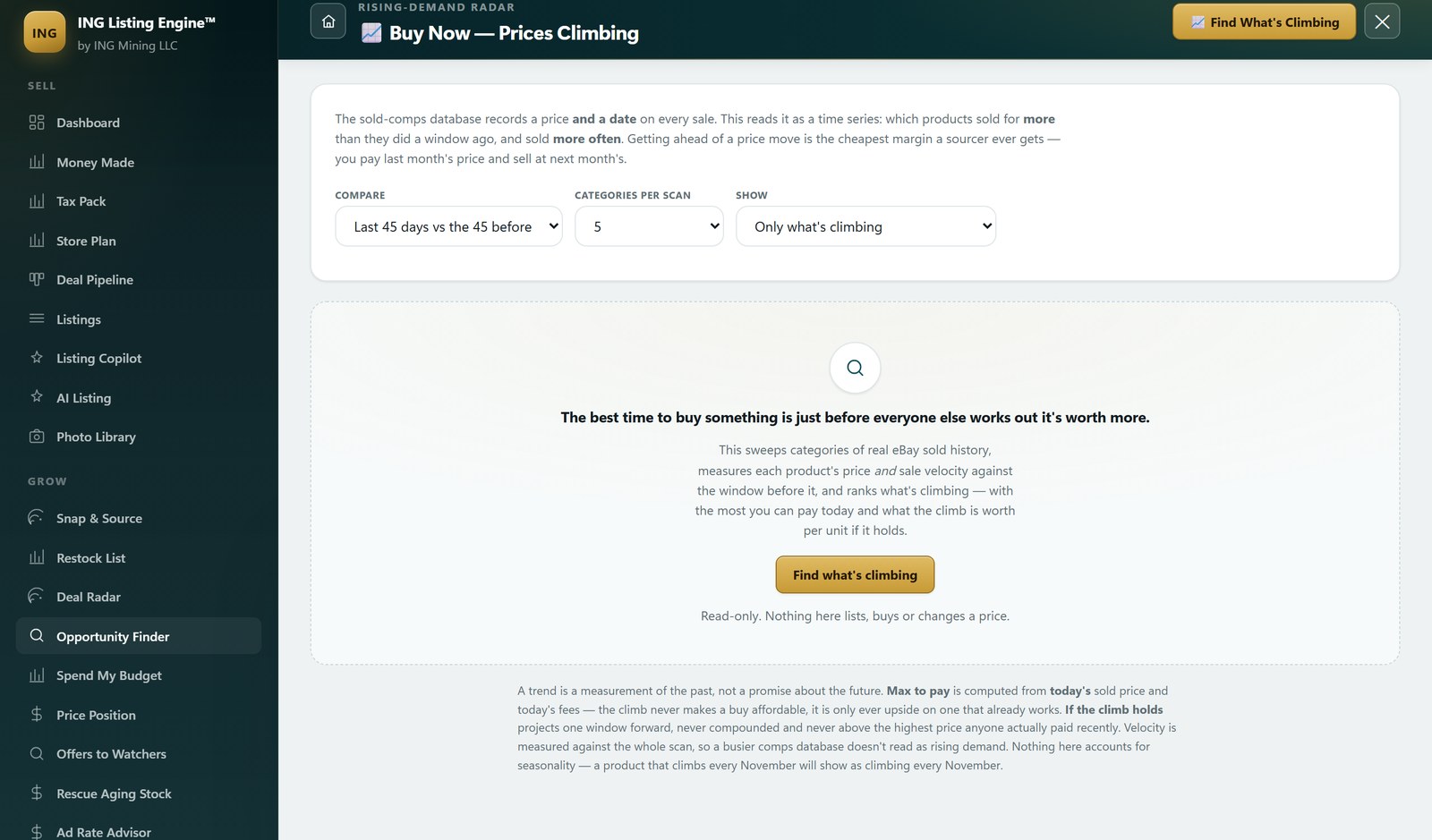
If you would rather not do it by hand, the resale value scanner in ING Listing Engine answers “what is this worth, what can I pay” against that 864,000-row store, on your own Windows machine, free during the beta. It is not a replacement for looking at sold listings yourself — it is a way of doing it two hundred times a day.
Questions sellers actually ask
Why does eBay ask me to sign in to see sold items?
Because the sold and completed filters are gated now. We measured it on 10 August 2026: a plain search returns results to a signed-out browser, and the same search with LH_Sold=1 redirects to eBay’s sign-in page. Any free eBay account gets you through, and the redirect remembers your search.
How far back do eBay sold listings go?
About 90 days in public search. Older sales are not hidden behind a paywall, they are simply not in that view. eBay’s own Product Research inside Seller Hub reaches back three years, and it is free.
Can I see sold items on eBay without an account?
Not through the sold filter, as of August 2026. You can still browse active listings signed out, which tells you what people are asking, not what anyone paid. Those two numbers are not close in most categories.
What is the difference between sold and completed listings?
Completed listings ended, sold or unsold. Sold listings found a buyer. Price off sold; use completed to judge whether a category moves at all.
How do I see what I have sold on eBay?
Seller Hub → Orders, or My eBay → Sold. That is your own account history and it goes back much further than the 90-day public window. Seller Hub → Reports will download it.
Is there a way to see sold items older than 90 days?
Product Research in Seller Hub is the free route and covers three years. Beyond that you are relying on data somebody chose to keep — your own records, or a tool that has been storing completed sales as the windows passed. Nobody can recover a sale that was never captured.
Filed under Research & Comparisons · Tagged Sold comps, Dirty data · Browse all guides by topic