
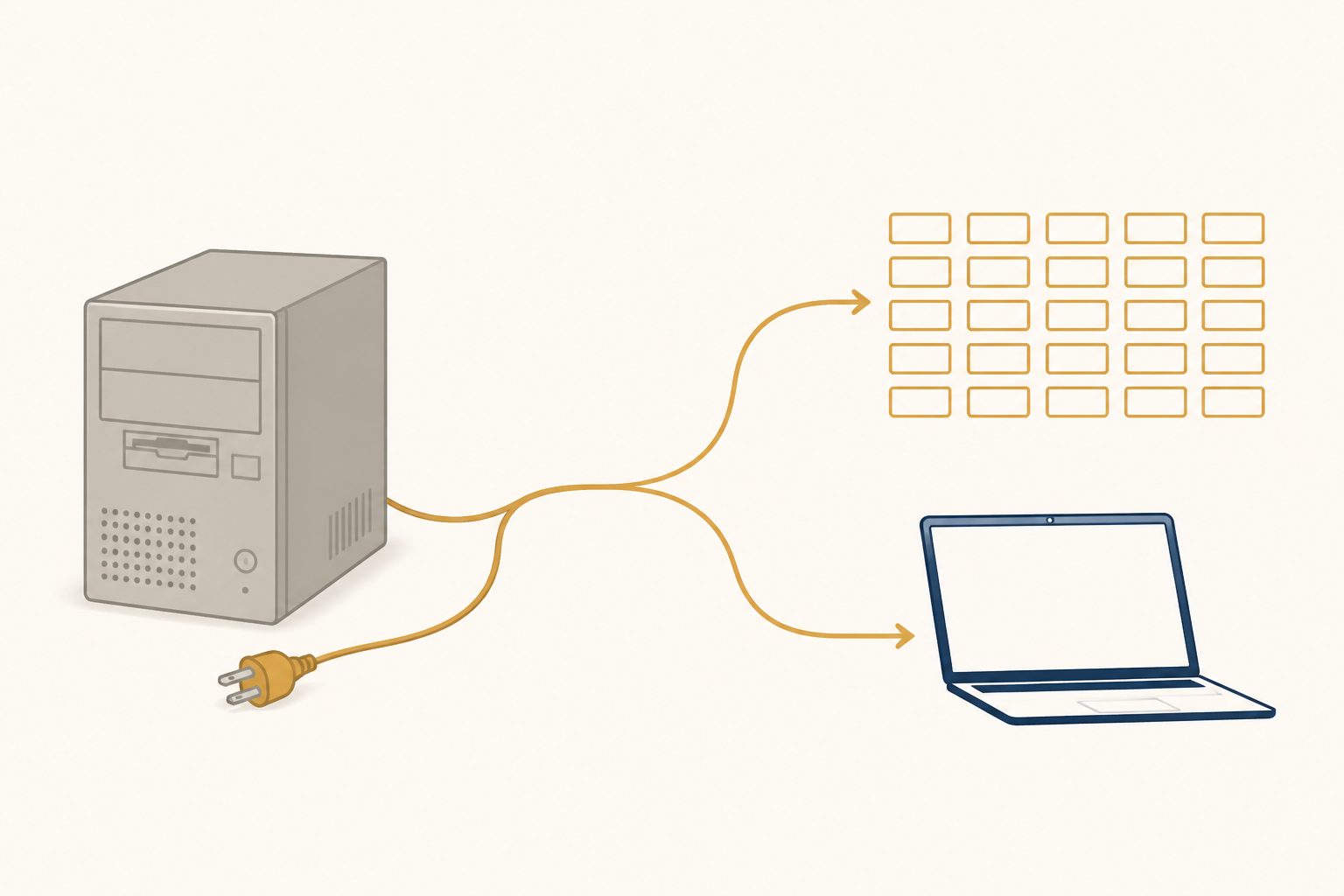
Turbo Lister stopped talking to eBay on 13 July 2020, and eBay has not shipped a desktop listing program since. If you are searching for a download, there isn’t one — US downloads were pulled in 2017, three years before the servers were switched off, so even a copy found on an old drive has nothing left to connect to. The replacement eBay actually offers is Seller Hub Reports, which is a spreadsheet workflow in your browser. The closest surviving thing to the program you remember is SixBit, from $29.99 a month.
Everything below about eBay’s current tools was read off eBay’s own help and Seller Center pages on 15 August 2026, and the SixBit prices came from SixBit’s pricing page the same day. I build a Windows listing app, so I have an obvious interest here — which is exactly why the free answer goes first and mine goes fourth. If you want the wider category view rather than the migration, that’s AI eBay listing software.
What eBay said in 2020, and the promise it never kept
The announcement went out in February 2020. ChannelX quoted it at the time: “Starting July 2020, we will stop supporting TurboLister”, and “downloads of the TurboLister listing tool in the US have not been available since 2017.” eBay pointed sellers at Seller Hub, saying many Turbo Lister features were available there at no cost, and at File Exchange for bulk work.
It also said something that is worth holding eBay to. In the same announcement, eBay said it was “working diligently to develop a solution” that would include “the ability to manage and edit listings offline.”
Six years later, that solution does not exist. eBay’s own bulk listing tools page, read today, lists six routes: Seller Hub Reports, the Merchant Integration Platform, the Inventory API, the Sell Feed API, the Trading API and the in-browser Bulk Listing Tool. Every single one is a website or an API. There is no desktop client on the list, and the words “Turbo Lister” appear nowhere on any eBay page I fetched today — not on the help articles, not on Seller Center. The tool is not deprecated in eBay’s telling. It has simply been edited out.
Seller Hub Reports is the free replacement, and it is a spreadsheet
Seller Hub Reports is File Exchange renamed and moved into the Reports tab of Seller Hub. It is genuinely the right answer for most people arriving from Turbo Lister, because it does the one thing Turbo Lister was loved for: prepare a lot of listings away from the listing form, then push them up in one go.
What eBay’s help page actually says it does, in its own words — “using templates, sellers can create and upload files to add, revise, relist, and end listings”:
- You start by downloading a template, not by typing into a form. Reports → Upload → Get template, then pick Create new listings, Create drafts, or an edit template for price, quantity and deletions.
- The drafts template is the forgiving one. Creating listings through Reports normally needs your photos hosted at public web addresses; with the drafts template you can leave the image URL column blank and add pictures later when you convert the drafts.
- Uploads usually process in under 15 minutes, and you get a downloadable report of every action taken.
- Downloads reach back 90 days. Anything older is a data request, not a report — the same 90-day wall that governs how far back you can see your own sold items.
- Access is nearly universal. Business sellers are opted into Seller Hub automatically; private sellers need one sale.
- One trap, and it is eBay’s own footnote: “templates and reports created or scheduled in the legacy File Exchange tool will not be carried over to the new Reports tool.” If you had scheduled reports set up in File Exchange, rebuild them.
If your inventory is SKU-based, eBay pushes the Merchant Integration Platform instead — CSV or XML feeds, 25 MB per file, and eBay claims it can load over 50,000 SKUs in under 30 minutes. That is a bigger hammer than most sellers arriving from Turbo Lister need.
The honest verdict: Seller Hub Reports is free, it is eBay’s own, and it is more capable than Turbo Lister was. It is also a spreadsheet, a column map and an error report. If what you liked about Turbo Lister was the spreadsheet, you have already been given a better one. If what you liked was the window — your items, your photos, your descriptions, sitting on your own machine — a CSV template is not that, and no amount of eBay’s marketing makes it that.
Your old Turbo Lister file is a spreadsheet problem now
There is no migration path, from eBay or from anyone else, and you should be suspicious of any page that implies one. Turbo Lister’s database is a dead format that nothing current reads. What you can do is get the data out as columns — title, price, quantity, condition, category, description — and paste it into eBay’s own template. Treat it as a one-time data-entry job, not an import. Anyone selling you a “Turbo Lister importer” in 2026 is selling you a CSV mapper.
SixBit: the paid one, and the closest thing that still exists
If you want the actual Turbo Lister experience — a Windows program, your catalogue in a local database, listings prepared and managed from one window — SixBit is the closest surviving product, and it has been doing this job far longer than I have. Their own site says they were “developers of the first listing tool for eBay” and have been at it since 1997.
Prices read from sixbitsoftware.com on 15 August 2026: Home & Hobby $29.99/mo, Small Business $49.99/mo, Enterprise $99.99/mo, Enterprise Duo $139.99/mo, Enterprise Max $184.99/mo, with a 30-day free trial, no contract, and no listing cap on any edition. It runs on Windows 8 or newer and wants 8 GB of memory and a four-core CPU.
What you get at the higher tiers is the part Turbo Lister never did and Blackthorne did: inventory tracking, order management, postage labels through Endicia and UPS WorldShip, buyer emails, feedback automation, consignments, multiple users. That is a whole eBay business on your desktop. I do not build any of that, and if that is what you are replacing, SixBit is the recommendation. For where the money goes across the rest of this category, including how a flat subscription compares with metered pricing, see what listing software actually costs.
Blackthorne and Selling Manager Pro, since you searched for those too
People looking for Turbo Lister usually turn up the other two names, and both stories end the same way.
Blackthorne — eBay’s paid desktop tool for listings, orders and buyer communication — was retired first. EcommerceBytes and Auctiva both reported the same timetable at the time: new features and technical support stopped on 31 March 2014, and the software was retired on 30 September 2014, fifteen years after eBay bought it.
Selling Manager and Selling Manager Pro were folded into Seller Hub. ChannelX reported in February 2022 that eBay was making Selling Manager Pro’s previously subscription-only features free inside Seller Hub. What is left of it today is easy to check yourself, and I did: eBay’s help article for Selling Manager, id 4098, now redirects to the Seller Hub article at id 4095. That is not a guess about a broken link — I control-tested it. A nonsense article slug carrying id 4098 lands on the same Seller Hub page, so the id is what redirects, and a nonsense id returns eBay’s 404 page, so it isn’t a catch-all. eBay’s answer to “where is Selling Manager” is now, literally, “Seller Hub”.
The pattern across all three is consistent, and it is the honest context for this whole question: eBay’s answer to every desktop seller tool has been the website. That is not a conspiracy, it is a support cost. But it does mean that if you want software on your own computer, it is going to come from someone other than eBay.
The Turbo Lister alternative I build, and what it can’t do
I built one, so here is the case and the caveats together.
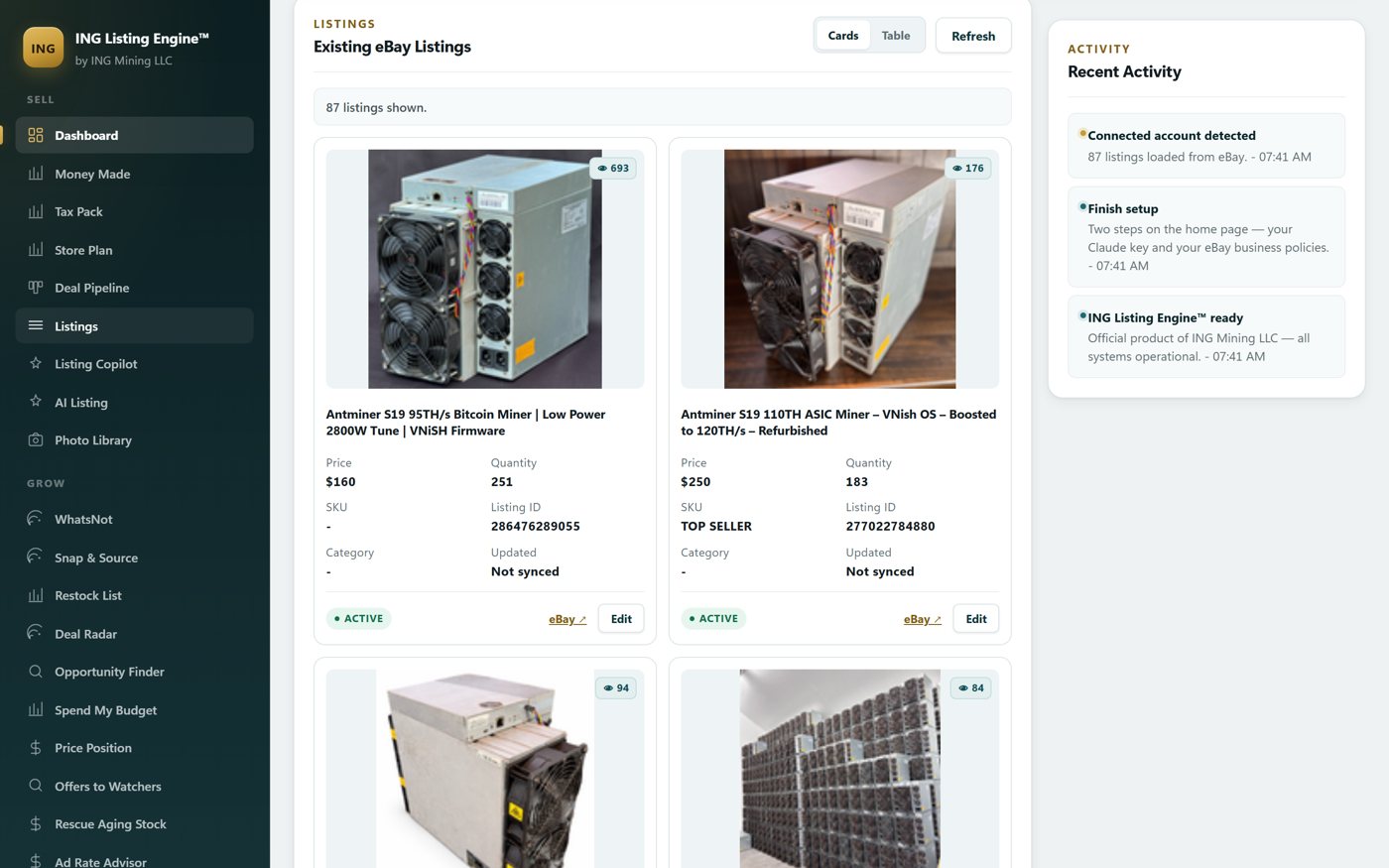
ING Listing Engine is a Windows desktop app in free open beta. Your listing database is a SQLite file under your own user profile, drafts save to Desktop\eBayListing, and nothing is hosted by me — I cannot see your account. What it does connect to, and which of those connections can write to your eBay account, is listed in full. Where it differs from Turbo Lister is the front of the job rather than the back: you give it a photo or a product link and it writes the title, item specifics, condition and description, then prices against real sold comps. Turbo Lister made you type all of that; it just made you type it in a nicer window than eBay’s.
Now the parts a Turbo Lister refugee needs to know before downloading anything:
- It is not offline. The AI call and the eBay call both need a connection. What is local is your data and the program — not your ability to work on a train. The offline lister eBay promised in 2020 is still nobody’s.
- There is no CSV in. No Turbo Lister import, no File Exchange template loader. There is a bulk import that pulls up to 50 product links off a catalogue page, and a Copilot that rewrites live listings — but it takes listing IDs you explicitly choose, because a bulk job that half-worked and reported success is worse than one that failed outright. If you need to upload five hundred rows at once, use Seller Hub Reports. I am not going to pretend otherwise.
- No orders, no labels, no buyer email, no feedback automation, no consignments, no multiple users. Everything in that list is SixBit’s, and it is why SixBit costs money.
- Windows 10 or 11 only, one machine at a time. No Mac build, no web version, no phone app.
- It cannot end a listing. There is no EndItem call in the codebase at all, deliberately — ending and revising live listings has fees and irreversible consequences attached, and that belongs in your browser. It will revise, and it reports back which fields eBay confirmed.
If your listings are one-of-a-kind used equipment — the miners, servers and industrial parts I sell — the bottleneck was never the upload. It was writing 87 different descriptions. That is the job this does, and the same engine will rewrite the listings you already have live. Download it free and see whether it fits — no card, no paywall, and if the answer is Seller Hub Reports or SixBit instead, that is a good outcome too.
Common questions
Does eBay Turbo Lister still work?
No. eBay stopped supporting it on 13 July 2020. It cannot upload listings to eBay or download listing data from eBay, and reinstalling an old copy does not change that — the service it talked to is gone.
Where can I download Turbo Lister?
You can’t, and there is no point. eBay pulled US downloads in 2017, three years before support ended. Any site offering “Turbo Lister 2 download” today is offering you an installer for a program with nothing to connect to.
What is the free replacement for Turbo Lister?
Seller Hub Reports, in the Reports tab of Seller Hub. It is File Exchange renamed, it works in CSV or XLSX, and its templates add, revise, relist and end listings in bulk. Free with any Seller Hub account — business sellers are opted in automatically, private sellers need one sale.
Can I import my old Turbo Lister file into anything?
Not as a migration. No current tool reads Turbo Lister’s database. Export what you can as columns and map them into eBay’s own Reports template — treat it as data entry you only do once.
Is there still a desktop eBay listing program in 2026?
Yes, from third parties. SixBit is the closest to Turbo Lister in shape and scope, from $29.99 a month with a 30-day trial. Mine is another, free during the beta and much narrower — it writes and prices listings, and does nothing about orders or shipping. Neither is eBay’s, because eBay does not make one.
What happened to Blackthorne and Selling Manager Pro?
Blackthorne was retired on 30 September 2014, with features and support frozen from that March. Selling Manager Pro’s features were moved into Seller Hub free of charge from 2022; eBay’s help article for Selling Manager now redirects straight to the Seller Hub article.
Filed under AI Listing · Tagged Automation, Competitor comparisons · Browse all guides by topic