
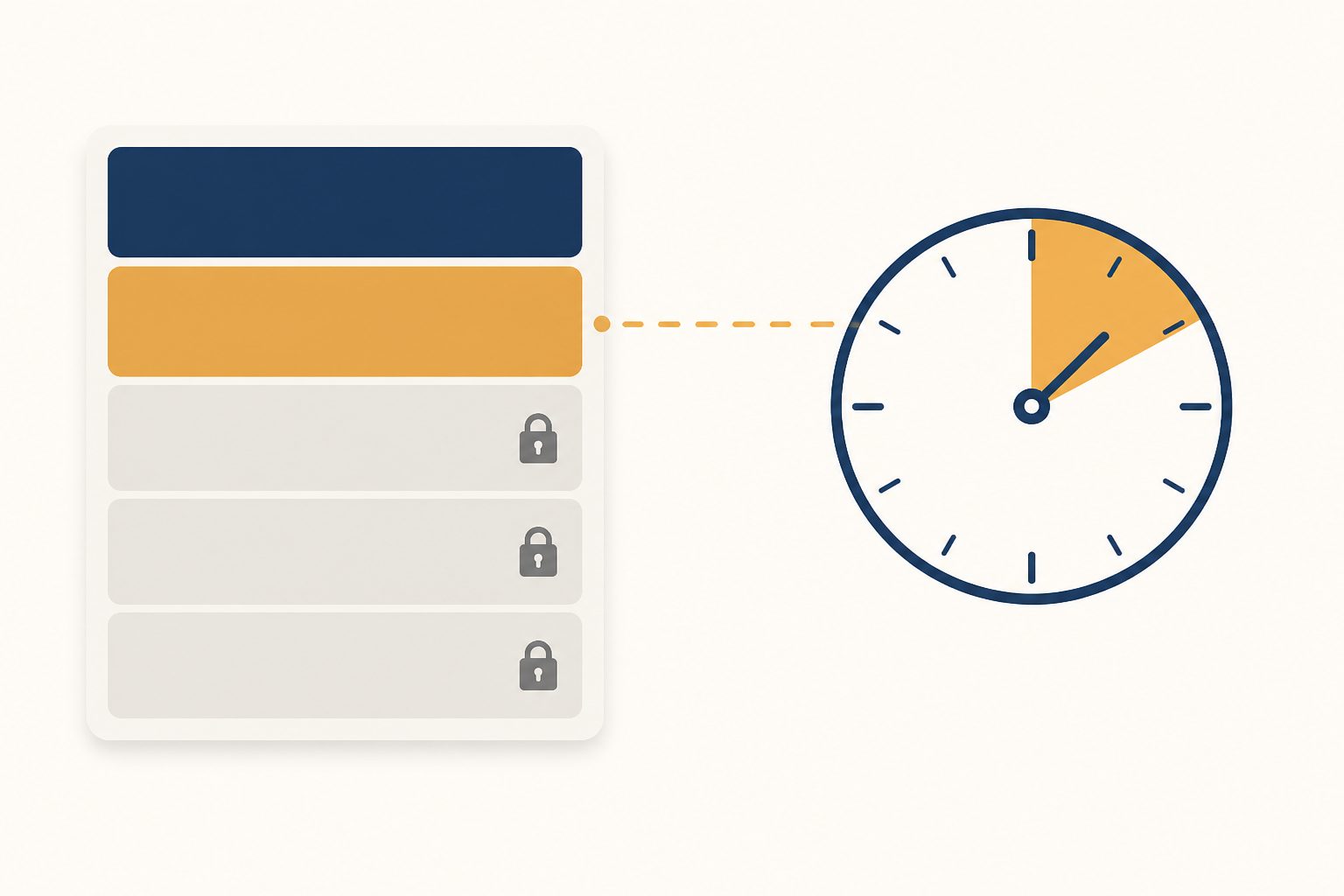
You can end a fixed price eBay listing whenever you want. An auction is the one that traps people, and eBay’s rule has three inputs: whether it has bids, whether more than 12 hours are left, and whether a reserve price was met. There is exactly one combination that locks you in — an auction inside its final 12 hours holding a bid at or above your reserve. At that point your only exit is to sell it to the highest bidder.
Every rule below was read off eBay’s own help pages on 14 August 2026, not remembered from a forum thread. Most of the pages ranking for this question are quoting fee and revision rules that stopped being true years ago, so check the date on anything you read about this — including this page. And note that the limits are eBay’s, not your software’s: what any listing tool, AI or not, can change after publish is decided here.
Can you end an eBay listing without selling it?
Here is eBay’s own eligibility table, restated. Read it by the row you are actually in:
| Format | Time left | State | Can you end it early? |
|---|---|---|---|
| Fixed price | Any | With or without open offers | Yes |
| Auction | 12 hours or more | No bids | Yes |
| Auction | 12 hours or more | Bids, reserve not met | Yes — but you may be charged a final value fee based on the highest bid |
| Auction | 12 hours or more | Bids, reserve met or no reserve set | Yes, by cancelling all bids — you may be charged a final value fee based on the highest bid, or you can sell to the highest bidder |
| Auction | Under 12 hours | No bids | Yes |
| Auction | Under 12 hours | Bids, reserve not met | Yes — final value fee may apply on the highest bid |
| Auction | Under 12 hours | Bids, reserve met or no reserve set | No. You can only sell to the highest bidder |
Three things in that help article get left out of almost every summary of it, and all three cost money or standing:
- An auction with bids has to be ended one at a time, with a reason selected. There is no way to sweep a shelf of bid-on auctions off the site in one action.
- eBay says it may restrict your account if you do this regularly. The exact wording is that ending listings early disappoints bidders, “so we may place limits and restrictions on your account if you are doing so regularly.” Ending one broken item is fine. Ending fifteen because you changed your mind about the price is a pattern, and it is visible.
- If you are not eligible, the remaining route is social. Contact the bidders, explain, and ask them to retract. If it has already finished, contact the winner and cancel the transaction with their agreement — which is a different thing with a different fee outcome.
eBay names two valid reasons — the item is lost, broken or no longer available, or you made a mistake such as the wrong starting price. If instead the listing never appeared, or vanished without you touching it, that is a different problem with different causes and nothing on this page will fix it.
What ending early actually costs
The query people actually type is “how do I end a listing on eBay without fees”, so here is the honest answer: sometimes free, sometimes not, and it depends on bids.
- A final value fee can be charged on an auction you never completed. If it has bids, eBay may charge the final value fee against the amount of the highest bid — on an item you still own. That is the single most expensive misunderstanding on this topic.
- The insertion fee does not come back. eBay’s fee page states insertion fees are non-refundable if your item doesn’t sell, and are charged per listing, per category, and again for each relist. Most small sellers never feel this because of the monthly zero-insertion-fee allowance; once you are past it, ending and relisting is a paid round trip.
- Good ‘Til Cancelled listings renew monthly and are charged again each time. A fixed price listing you forgot about is a standing monthly charge, not a free shelf. That is an argument for repricing the stale ones rather than ending them — when the app first scanned my own account in July, the median live listing was over six months old, and the money was in the price rather than in the delete button.
- Revising is free. eBay charges nothing to revise a listing unless you add a paid upgrade. If a revision can fix the problem, it is always the cheaper move than ending.
There is one refund path worth knowing. If you relist and the relisted item sells, eBay may credit the insertion fee — but every one of these has to be true: it sells after relisting, the original and the relist are the same format, you used eBay’s relist tool rather than pasting a new listing, you relisted within 90 days, it is the first manual relist, the starting price isn’t higher than the original, and you didn’t add a reserve. Miss any of them and you simply paid twice.
There is no pause button, and Time Away is not one
“Can you pause eBay listings” gets asked constantly and the answer is no — there is no freeze that stops the clock and resumes later. The nearest thing is Time Away, and what it actually does depends on which option you pick:
- Pause item sales — up to 30 days. Fixed price listings are hidden from search and buyers can’t purchase. Auction listings stay visible and buyable, with a message at the top telling buyers you are away.
- Allow item sales — up to 15 days. Everything stays live; estimated delivery dates are adjusted for you.
- Fees carry on regardless. eBay states plainly that listing-related fees and subscription fees continue during time away. Hidden is not free.
So the real choice for a two-week absence is: hide fixed price listings and keep paying, or end and relist later and pay the insertion fee twice. For most sellers hiding wins, because a relist restarts the listing’s history.
What you can still change after posting
This is the other half of the question, and the answer is more generous than sellers assume for fixed price listings and much harsher for auctions. eBay splits it by format, by bids and by the 12-hour mark:
| Situation | You can | You can’t |
|---|---|---|
| Fixed price, no purchases yet | Edit the title, change category, add or change photos, lower the Buy It Now price, change quantity, edit shipping, add or remove Best Offer, add or remove variations | Edit existing variations |
| Fixed price, already had purchases | Decrease the price, edit the title, change category, change quantity and store category, add to the description, add or change photos, edit shipping (buyers who already bought pay the original shipping) | Edit existing variations |
| Auction, 12+ hours left, no bids | Edit the title, add or change photos, reduce the starting price, edit shipping, add a second category, add or remove upgrades | Change the format; extend the duration once 2 hours have passed since you submitted it |
| Auction, 12+ hours left, with bids | Add photos, add a second category, add upgrades, decrease existing shipping cost, add a domestic shipping service | Change format, duration or starting price; edit the description — or even add to it; increase shipping; remove a shipping service |
| Auction, under 12 hours, no bids | Change category, add item specifics, add to the description, add photos, add payment methods and ship-to locations, decrease shipping cost | Change duration or starting price; add a new domestic shipping service |
| Auction, under 12 hours, with bids | Add upgrades, add payment methods and ship-to locations, decrease shipping cost, add a domestic shipping service, answer questions by message | Change duration or starting price; edit or add to the description; increase shipping; remove a shipping service |
eBay’s own two help pages disagree about one thing, and it is worth knowing which one wins. The ending article advises that if possible you should “consider revising your listing by adding information to the description instead of ending it.” The revising article says that once an auction has a bid you cannot add to the item description at all. Both were read on the same day. The revise rules are the ones the button enforces, so treat the tip as advice for a listing that has not been bid on yet. Before the first bid you have room; after it, you have photos and shipping and not much else.
The title is the exception that stays open almost everywhere, which is lucky, because the title is where most of the search traffic is decided. If you are going to spend one edit on a live listing, spend it there — the rules that actually govern what a good eBay title looks like apply just as much to an edit as to a new listing.
Ending is not deleting, and relist is not Sell Similar
Ending a listing does not remove it from your account. It moves to Unsold, where it sits waiting to be relisted, and eBay’s help is explicit that a manual relist is the intended route back — “if you ended your listing early, but now you want to put it back up on eBay.”
Relist and Sell Similar are not the same button. Relist puts the same listing record back up and is the path eBay’s insertion fee credit is written around — same format, first manual relist, within 90 days, starting price no higher. Sell Similar creates a new listing from a copy, with a new item number and none of the original’s history. If the fee credit matters, relist and keep the price at or below the original. If you need to change something the credit conditions forbid anyway, Sell Similar costs you nothing extra. And if the item is only sitting there because nobody has been nudged, sending an offer to the people already watching it is usually cheaper than ending anything.
What about drafts?
A draft is not a listing. It doesn’t appear in search, it isn’t live, and ending a listing does not turn it back into a draft — it becomes an unsold listing instead. On how long drafts survive: eBay does not publish one retention figure covering every listing tool, and the third-party numbers contradict each other across a 30-to-120-day range, so no number is quoted here. Open your Drafts page and read the date it shows you. If drafts disappeared, the usual cause is that they aged out of whichever tool created them.
What our software does here, and the one thing it deliberately won’t
ING Listing Engine can revise a live listing — title, description, condition, condition description, category, item specifics, price and quantity, on an existing eBay item number. It cannot end one, and that is on purpose. There is no EndItem call anywhere in the codebase. Ending a listing has fees attached, can charge you a final value fee on something you still own, and is exactly the kind of irreversible action that should cost a human two clicks in their own browser.
The revision path is worth describing because of what went wrong with it, in our own code, on 28 July. Listings imported from your eBay account carry a real item number but no Inventory API offer id, so they took a code path that called eBay’s price-and-quantity-only revision: title, description, condition, category and item specifics were built into the request and dropped on the way out. Nothing looked wrong from any angle. eBay returned Ack=Success, because the smaller call it received was itself valid. The app said “Published to eBay live.” The log said the listing was revised. For most of a catalogue, the editor changed nothing and reported that it had.
It now sends a full revision and reports back the field names eBay confirmed. Two things it still refuses to send, both learned the hard way:
- eBay-hosted images. Importing a listing returns one image URL and it is the 140-pixel gallery thumbnail. Push that back into a revision and eBay replaces the entire photo set with a postage stamp, permanently, on a live listing. Anything on
ebayimg.comis filtered out; only photos you supplied here are ever sent. - Blank fields. In a revision, an omitted field means “leave it alone” while a present-but-empty one overwrites. Every block is built only when there is something real to put in it.
The lesson outlives the bug, and it applies to every listing tool including the ones we compete with: a revision that reports success is not proof the field changed. After any tool edits a live listing, open the listing on eBay and look at it. Download ING Listing Engine free to see the editor and its field-by-field confirmation — Windows, free during the open beta, and nothing leaves your machine until you publish it.
Common questions
Can you end an eBay listing without selling it?
Yes for fixed price listings, at any time. Yes for an auction with no bids. Yes for an auction whose reserve has not been met, though a final value fee may be charged against the highest bid. The only “no” is an auction inside its last 12 hours carrying a bid at or above your reserve — then you must sell to the highest bidder.
How do I end an eBay listing without fees?
End it before it has any bids. Once there are bids, eBay may charge a final value fee based on the highest bid even though nothing sold, and the original insertion fee is non-refundable regardless. Relisting is charged again, with an insertion fee credit possible only if the relist sells and meets all of eBay’s conditions.
Can you cancel an eBay listing with bids on it?
Usually yes, if more than 12 hours remain — eBay ends it by cancelling all bids, and a final value fee may follow. Listings with bids have to be ended individually with a reason selected. If you do it often, eBay warns it may place limits on your account.
Can you edit an eBay listing after posting?
Yes, and there’s no fee unless you add a paid upgrade. Titles and photos are editable on almost anything. Fixed price listings stay broadly editable even after purchases, except for existing variations. Auctions tighten sharply once a bid lands: no description edits at all, no price change, no duration change.
Can you pause an eBay listing while you’re on holiday?
Not exactly. Time Away with “pause item sales” hides fixed price listings from search for up to 30 days and blocks purchases, but auctions stay live with a notice, and eBay’s listing and subscription fees continue the whole time.
Is ending and relisting better than lowering the price?
Rarely, and it’s the mistake I made for years. Relisting restarts the item’s history and costs another insertion fee once you’re past your free allotment; a revision costs nothing. Ending is for items that are broken, gone, or wrongly listed — not for items that are priced wrong.
Filed under AI Listing · Tagged Automation, Fees & margin · Browse all guides by topic