

Two completely different things get described as an eBay listing not showing in search, and the fix for one is useless on the other. Either the listing is genuinely absent from the results — in which case it is nearly always one of seven mechanical causes, six of which you can rule out in under a minute — or it is sitting right there in the results and nobody is clicking it, which is a title, photo or price problem and has nothing to do with search at all. Start by working out which one you have, because most of the advice written about this conflates them.
The ten-second test: watchers
Open your listing in Seller Hub and look at whether anything has watched it. A listing with watchers has been found, opened and saved by strangers — it does not have a visibility problem, whatever else is wrong with it. A listing with no watchers and no views after several days might have either problem, and the rest of this page splits accordingly.
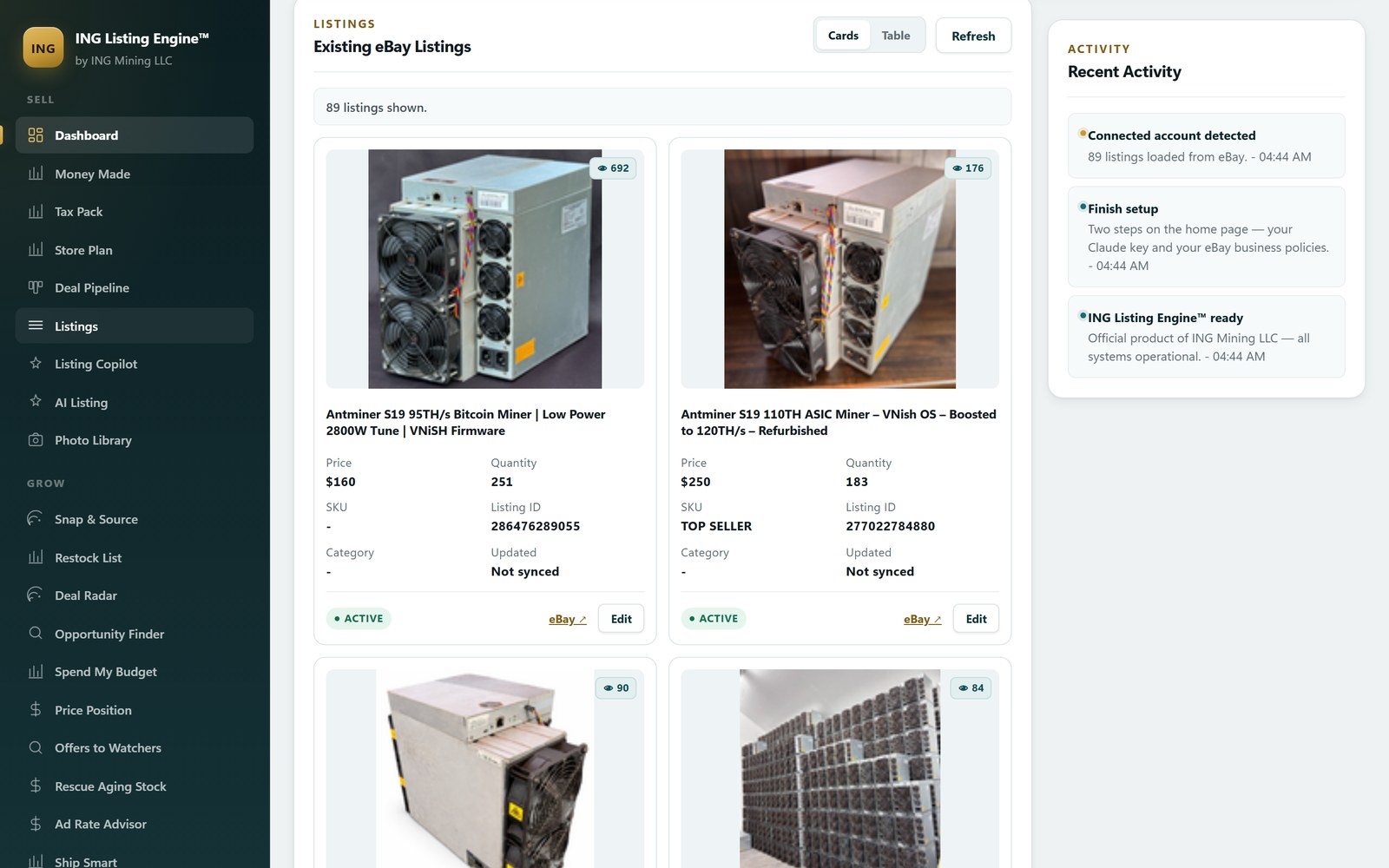
One warning about the number you are staring at, from building against eBay’s API rather than reading about it. On the unsold-listings feed, eBay returns a view count (HitCount) on some accounts and a watcher count on others, and not always both. Our own code reports a missing figure as unknown and refuses to render it as zero, because “nobody watched it” and “eBay didn’t say” lead to opposite decisions. If a report hands you a flat 0 with no caveat, check the listing page itself before acting on it.
If the listing really is not in the results: seven causes, cheapest first
Work down this list in order. The first three account for most of it, and none of them takes longer than a minute to check.
1. It is not Active
eBay’s own first instruction is to go to Selling and check the listing’s status: it has to be active to be pulled into search. Drafts, scheduled listings, listings that ended unsold, and listings you ended yourself are all invisible and all still sitting in your account looking like listings. This is the single most common answer and the most embarrassing one, which is why it goes first.
2. It is less than 24 hours old — and every edit restarts the clock
A new listing should appear in search within 24 hours, and is often not searchable by keyword or category for the first several hours. The part almost nobody knows: if you revise the listing before it has been indexed, it goes back to the end of the queue. So the seller who lists something, doesn’t see it, tweaks the title, still doesn’t see it, and tweaks it again has personally guaranteed they will not see it for another day. If the listing is under 24 hours old, the correct action is to stop touching it.
3. The out-of-stock option is on and your quantity is zero
This one is genuinely obscure and it is an account-level setting, so it applies to every Buy-It-Now listing you have. With eBay’s out-of-stock option enabled, a Good ‘Til Cancelled listing whose quantity reaches zero stays active but is hidden from search until you put the quantity back above zero. Buyers cannot buy it or offer on it; it is reachable only by item number or from someone’s watch list. eBay keeps it that way for 180 consecutive days and then ends it. That is the exact shape of “my listing vanished and eBay says it’s still active”.
4. You already have an identical listing
eBay’s duplicate listings policy does not allow more than one fixed-price listing of an identical item from the same seller at the same time. Auctions are treated differently and the difference is the trap: you may run multiple auction-style listings for identical items, but only one of them without bids is visible to buyers at a time, and the next one surfaces once the first takes a bid or ends. If you relisted something and the relist won’t appear, check whether the original is still live. Two attributes have to be meaningfully different for eBay to treat two listings as separate items — a reworded title is not enough.
5. The title contains something search won’t index
eBay names these explicitly, and they are all self-inflicted: a misspelling, two words run together, special characters such as ! @ / *, and — the one people never suspect — an accidental profanity created by two words colliding, which search will block the listing over. Read your own title out loud once. It costs nothing.
6. You are searching with a filter your listing cannot answer
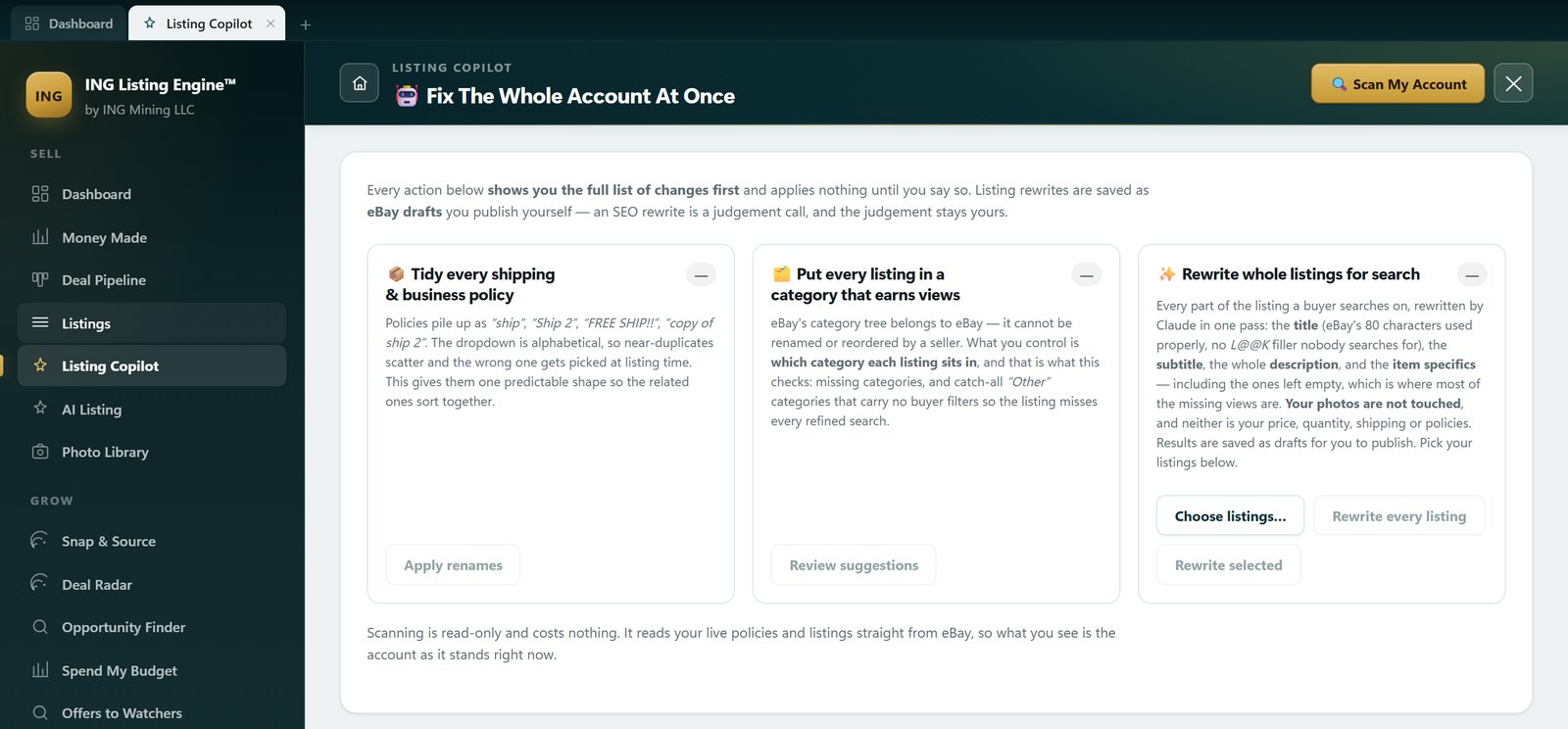
Your listing can be perfectly indexed and still be missing from the results you are looking at, because you narrowed them. Buyers narrow them far more. The left-hand refinements on a results page are built from item specifics, so a listing with a required specific left blank is not ranked low for a filtered search — it is not in the result set at all. Seller Hub will tell you which of your listings are affected: the Active Listings page carries quick filters for listings missing Required, Required Soon and Recommended item specifics. That is a two-click audit of your whole account and it is free. The same audit from the tool’s side, across every live listing at once, is what a read-only Listing Copilot scan reports.
7. It is the account, not the listing
If it is every listing rather than one, check Seller Level. An account evaluated Below Standard for more than two consecutive months may have its items placed lower in Best Match, and is also blocked from eBay’s advertising tools — the commonest answer to why you can’t promote a listing. Nothing you do to an individual listing will out-run that, and no third-party tool can fix it either — the lever is defect rate and cases closed without seller resolution.
The eighth cause, which is nobody’s fault but yours: the title is not the string buyers type
This is where our own data earns its place, and it is the cause most likely to apply to anyone selling uncatalogued gear.
Take a real listing from this account: an Allen-Bradley PowerFlex 525 variable-frequency drive, catalogue number 25B-D6P0N104. Querying our sold-comp database — 864,000 eBay sold records, collected through 17 July 2026 — for powerflex returns 37 sold listings. Here is the finding, and it took ten seconds to compute:
37 of those 37 sold listings have a part number in the title. Every single one.
Not one sold on a descriptive title alone. There is no “Allen Bradley VFD 3HP Variable Frequency Drive, Works Great” anywhere in the sold set, because the person buying an industrial drive searches the catalogue number stamped on the case. A title without that number is not competing badly — it is not competing. The same holds for server part numbers, GPU model strings, ASIC model names and anything with a spec plate on it.
The other half of the same query shows why this is easy to miss. The literal search powerflex 525 returned 145 rows, of which only 7 contain both words — the rest are a Tumi backpack with “$525” in the title, a Sansui SR-525 turntable and other coincidences. Two of the seven real ones are a 25-COMM-D DeviceNet adapter at $125 and $199.99, an accessory rather than a drive. Keyword matching is noisy in both directions: it puts junk in your comp set and it fails to put you in front of a buyer who typed a precise string. Getting the title right is the same skill as generating one from the item in the first place, and the same reason we stopped trusting keyword-matched averages for pricing. Put the part number first, exactly as printed, and the descriptive words after it.
If it is showing and getting no views — or views and no sales
Different problem, different tools. A listing that is indexed and getting nothing is being shown and passed over, and there are only three things a buyer sees before deciding: the photo, the title and the price. In that order, because that is the order they appear in a results grid.
Price is the one you can settle with arithmetic instead of opinion. Those same 37 rows contain exactly two sales of the specific drive above — $360.82 on 12 June 2026 and $340.99 on 15 July 2026, both new and factory-sealed. Two data points is thin and I would rather say so than dress it up as a trend, but it bounds the decision: ask $450 for that part number and you are the dearest result on a page showing two cheaper sealed ones, and you will collect impressions and no clicks indefinitely. That is not eBay suppressing you. Across all 37 PowerFlex sales the median was $360.82 and the mean $653.38, dragged up by a $6,999.99 liquid-cooled 755 — price against the part number, not the category.
Photos come first in the reading order and are the cheapest fix. If the thumbnail is dim, cluttered or shot at an angle where the item is unrecognisable at 200 pixels wide, no amount of title work rescues it — and a spec plate a phone camera can actually read is worth more than an extra keyword, because it is also what an identification pass has to work from.
If the listing has watchers but no sale, you have neither a visibility nor a photo problem: you have a price objection from people who already want the item. The cheapest answer is an offer to those watchers rather than a public price cut, because a refused offer costs nothing.
What to do in what order
- Check the listing is Active. Five seconds.
- Check it is more than 24 hours old, and stop editing it if it isn’t.
- Check quantity and whether the out-of-stock option is on.
- Check for a live duplicate, especially after a relist.
- Read the title for typos, collisions and special characters.
- Run Seller Hub’s missing item specifics quick filters.
- Check your Seller Level if it is every listing, not one.
- Search your own part number and see whether you come back.
- Only then argue about price — and argue with sold comps, not with a gut feeling.
Steps 1 to 7 are eBay’s job to explain and they are all free. Step 8 and step 9 are where a tool helps, because both are questions about what has already sold rather than about your listing: what string do buyers use for this exact part, and what has this exact part actually sold for. That is the whole reason ING Listing Engine writes titles against sold data instead of against a template, and prices from comps rather than from a markup. It is a free Windows beta — download it and run the part number yourself before you take our word for any of the above.
eBay’s rules on indexing, duplicates, item specifics, the out-of-stock option and seller standards were re-read on 29 July 2026 on eBay’s own help, policy, Seller Centre and developer pages. They change; if you are reading this much later, check the current wording before you rely on it.
Common questions
How long does it take for an eBay listing to show up in search?
Up to 24 hours, and often not searchable by keyword or category for the first several hours. The clock restarts from your last revision — if you edit the listing before it has been indexed it goes to the back of the queue, so repeatedly tweaking a listing that hasn’t appeared yet is the one thing guaranteed to delay it further.
Why can’t I see my eBay listing when I search for it?
In rough order of likelihood: it isn’t Active (draft, scheduled, or ended); it is under 24 hours old; the quantity is zero with eBay’s out-of-stock option enabled, which keeps a Good ‘Til Cancelled listing active but hidden; you have a live duplicate, and for identical auctions only one without bids is visible at a time; the title contains a typo, run-together words or special characters; or you are searching with a filter the listing can’t satisfy because a required item specific is blank.
Why is my eBay listing getting 0 views?
First check that the zero is real — on some accounts eBay simply does not return a view count, and an unpopulated field reported as “0” is a different thing from nobody looking. If it is real, and the listing is indexed, then it is being shown and skipped, which is a photo, title or price problem rather than a search problem. Search your own part number: if you do not come back in the results, your title is not the string buyers type.
Is eBay hiding my listings?
Usually no, and the mechanical causes above cover nearly all of it. The two real exceptions are worth knowing. eBay’s out-of-stock option deliberately hides a zero-quantity listing from search while leaving it active, and an account that has been Below Standard for more than two consecutive months may have its items placed lower in Best Match. Both are documented, both are visible in your own account, and neither is arbitrary.
Does editing an eBay listing hurt its search ranking?
Editing an already-indexed listing does not remove it from search. Editing one that has not been indexed yet sends it back to the end of the indexing queue, which is why a new listing you keep adjusting seems never to appear. Make your changes in one pass, then leave it alone for a day.
Do item specifics really affect whether my listing is found?
Yes, and more absolutely than most sellers assume. The refinement filters on a results page are built from item specifics, so a listing missing a required specific is not merely ranked lower for a filtered search — it is excluded from that result set. Seller Hub’s Active Listings page has quick filters that show you exactly which of your listings are missing Required, Required Soon and Recommended specifics.
Filed under AI Listing · Tagged Sold comps, Dirty data · Browse all guides by topic