
If your inventory already lives on two or three marketplaces and the job you are paying for is getting it onto eight more, buy Crosslist and close this tab. It starts at $29.99 a month, it posts to eleven marketplaces from one form, it has real iOS and Android apps, and nothing we make competes with any of that.
This page is for the other person typing Crosslist alternative — the seller who is mostly or entirely on eBay, and who has started to notice that a tool priced by how many listings you add each month does surprisingly little to help you build one eBay listing properly. I sell Bitcoin miners, servers, laptops and industrial gear on eBay, and the comparison below is against our own free Windows app, ING Listing Engine, which publishes to eBay and nowhere else.
I have not run Crosslist. So nothing here reviews its output, rates its interface or passes on anything I couldn’t check. Every Crosslist claim on this page was read off crosslist.com and their own documentation on 16 August 2026 and is linked where it’s used. What I can talk about first-hand is the other side of the trade they’ve made — what eBay’s listing schema actually looks like when it is the only one you serve.
What Crosslist costs, and what the meter counts
Read off crosslist.com/pricing on 16 August 2026, monthly billing. Quarterly is about 10% less and annual is advertised as two months free. There is no free tier; there is a 3-day money-back guarantee covering up to 20 listings.
| Plan | Monthly | New listings / month | Photos per listing | Notes |
|---|---|---|---|---|
| Bronze | $29.99 | 200 | 9 | Core cross-listing |
| Silver | $34.99 | 500 | 9 | Core cross-listing |
| Gold | $39.99 | 1,000 | 15 | Adds CSV import/export, autodelisting, sales analytics |
| Diamond | $44.99 | Unlimited | 24 | Everything above |
Three things in that table are worth reading twice. First, the unit being metered is new listings added to your inventory — the plans price listing creation, in a product whose pitch is distribution. Second, AI listing creation is not in any tier: it is a separate +$4.99/month add-on that works on credits (creating a listing costs one credit, an AI photo edit two, with 200 to 2,000 credits a month depending on plan). Third, the photo caps: eBay itself takes 24 photos on an ordinary listing at no charge, and you get all 24 through Crosslist only on the $44.99 Diamond plan — Bronze and Silver stop at nine. Prices and gates move; check their page before quoting mine. And if what you actually want is the market-wide money picture rather than one vendor’s tiers, that lives in what AI listing software really costs.
Five things Crosslist does that we can’t touch
Said plainly, because if any one of these is the job, you don’t need the rest of this page.
- Eleven marketplaces. eBay, Poshmark, Vinted, Mercari, Depop, Etsy, Facebook Marketplace, Grailed, Whatnot, Shopify and WooCommerce, per their marketplaces page. We publish to eBay. That is the entire list.
- It runs on whatever you own. A web app plus iOS and Android apps. Ours is a Windows desktop program; if you work from a Mac, a Chromebook or your phone, Crosslist wins before the feature comparison starts.
- Bulk import of the listings you already have. “Import your listings from any marketplace with one click” is their claim, and it is exactly what a seller with 800 live Poshmark listings needs on day one. We import from your connected eBay account and from product URLs — we cannot slurp your Mercari store.
- Posting at volume, in the background. Autoposting, bulk edits across many listings, per-marketplace price markups, shipping profiles per marketplace. Distribution is the product, and it’s clearly built for hundreds of listings, not five.
- Photo tooling. Their feature list includes unlimited background removal and an AI photo editor. We keep a photo library and we do not remove backgrounds at all.
eBay is not one form — it’s a different form for every category
Here is the thing the phrase listing form hides. eBay does not have a listing form; it has thousands of them. Every leaf category carries its own set of item specifics — eBay’s structured fields — and the set changes completely as you move around the tree. When our app asked eBay’s own Taxonomy API during the feature’s live verification in July: the Cell Phones & Smartphones category came back with 31 item specifics, 4 of them required; Virtual Currency Miners came back with 10. Some fields accept anything you type. Others — eBay calls them selection-only — reject any value that isn’t on eBay’s published list for that aspect: not “bitmain”, but Bitmain.
And the penalty for leaving them blank is quiet. eBay’s left-rail search filters run on item specifics. A missing required one blocks the publish with an error; a missing recommended one publishes fine and then silently removes your listing from every search a buyer narrows by storage capacity, screen size or network. You don’t see the cost. The buyer who filtered never sees you at all.
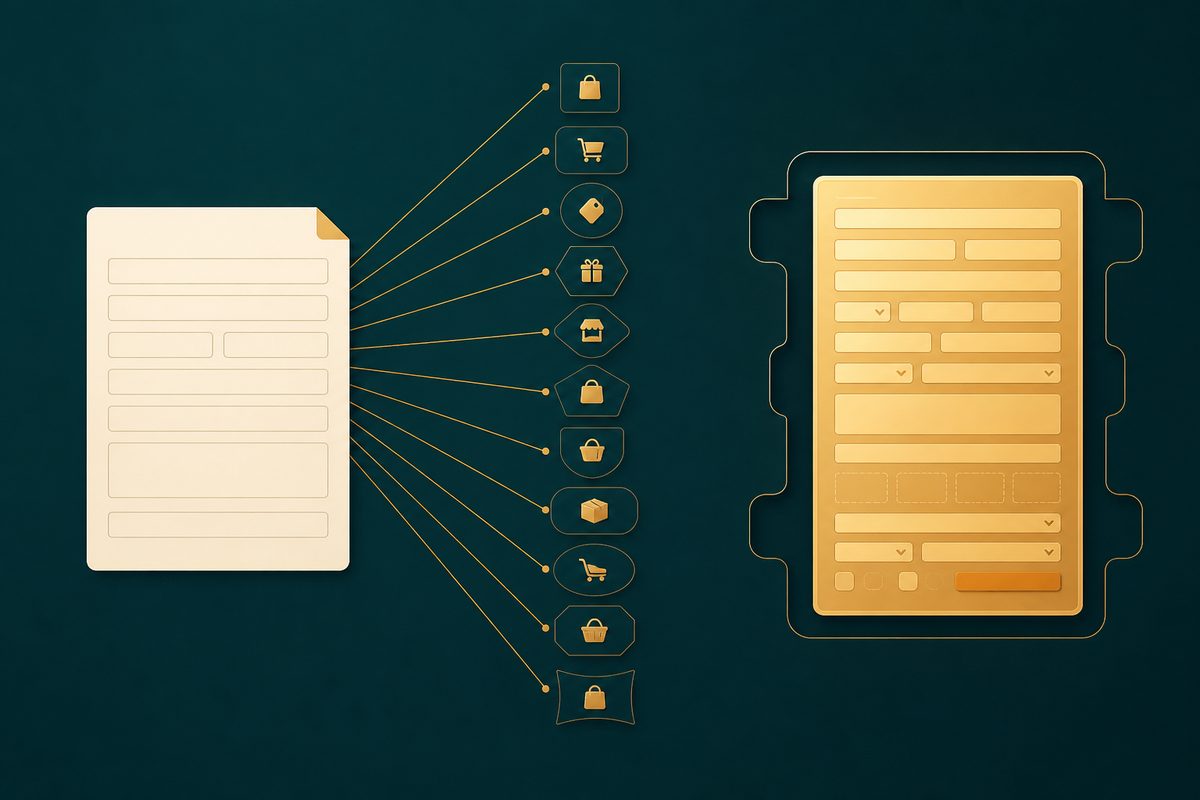
Now put that against the way any honest eleven-marketplace tool has to work. Crosslist’s own feature list says it straight: “One universal form — create your listing once, then publish to all major marketplaces”, with the platform stepping in to “automatically translate categories, sizes and more” (crosslist.com/features, 16 August 2026). I want to be fair here: that is the correct engineering answer to the problem they chose. Eleven marketplaces means eleven category trees, eleven condition vocabularies, eleven photo rules. Nobody can put all of that on one screen; you abstract it or you drown. The question for a seller who is 90% eBay isn’t whether the universal form is clever — it’s what the translation costs on the one marketplace that pays your bills.
Where the translation shows, in Crosslist’s own documentation
You don’t have to speculate, and I didn’t. Their eBay FAQ is refreshingly frank about where the seams are, and I’ll quote it rather than characterise it.
- Which shipping policy your listing gets can come down to the alphabet. Crosslist publishes to eBay through the API, which means eBay business policies are, in their words, “mandatory”. When your account holds several, their FAQ explains that Crosslist “always applies the first policy in alphabetical order.” If the wrong returns window is going out on your listings, the documented fix is on your side of the fence: arrange your policy names so the right one sorts first.
- Item-specifics problems surface as eBay errors, after the fact. The FAQ’s entry for “Why do I get an error that an item specific is missing?” describes eBay detecting “missing or conflicting item specifics” when a listing goes up. That’s the universal form working as designed: the category’s requirements aren’t fields you fill on the way in; they’re an error you read on the way out.
- Photo rules, same shape. “eBay requires that pictures are at least 500px on the shortest side” — a rule you find out about when the listing fails, not when you attach the photo.
- Edits go back through Crosslist. Their FAQ says listings created through third-party tools “require edits from the original source.” Spot a typo from the eBay app on your phone and you’re not fixing it there — you’re going back through Crosslist to relist.
None of that is a scandal, and I’d think less of this page if it pretended otherwise. It is what a translation layer costs, and I know because we pay the same tax in the other direction. Our own cross-listing exporter flattens eBay item specifics into a description block the moment it writes a Facebook or Mercari file, because those sites have nowhere to put them — the Vendoo comparison documents exactly what our exporter loses and why it posts nothing at all. Translation is lossy both ways. We just picked the direction where the loss lands on marketplaces we don’t depend on. And it’s worth knowing this isn’t the only architecture in the category: List Perfectly reaches its marketplaces by driving each site’s own listing form through a browser extension, a genuinely different set of trade-offs that its own page walks through.
What listing to eBay looks like when eBay is the only target
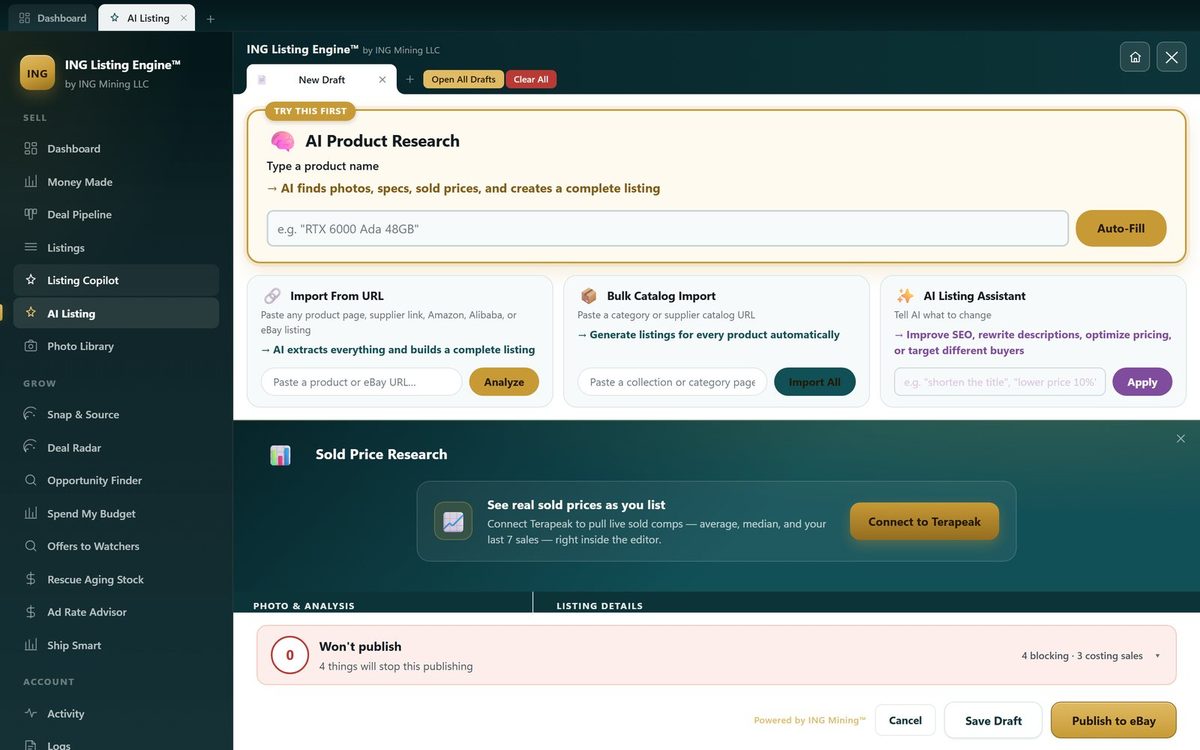
Because our app serves one marketplace, it doesn’t translate to eBay’s schema — the schema is the form. Pick a category and the editor fetches that category’s actual item specifics from eBay’s Taxonomy API and lays them out as labelled fields: required ones flagged red, recommended ones grouped under them, selection-only fields limited to eBay’s own legal values. The readiness bar above Publish scores the draft as you type and splits its findings honestly: a blocker is eBay’s rule and stops the button (with a “Publish anyway” override, because the app can be wrong and it is your account, not ours); a warning is our opinion about what sells and stops nothing.
The part I actually use every day is the fill. eBay publishes the legal values per aspect, and by the time you’re staring at the specifics panel you have usually already written the answers — in the title, in the description. On a real iPhone draft during the feature’s verification, one click filled Brand, Model, Storage Capacity, Lock Status and Network from the seller’s own words — five specifics, none typed. The same editor prices the draft against our own database of completed eBay sales, which is the half of the job no cross-lister claims to do.
Just as important is what the fill refuses. Country of Origin is never guessed, however required it is, because inferring it from a brand puts a false legal claim on a live listing. “Compatible Brand” is never matched to “Brand” — a phone case made for an iPhone is not an Apple product, and that near-miss is the most damaging one in the whole feature. A selection-only aspect whose list doesn’t contain your value gets no suggestion at all, because offering one back to you would just manufacture a failed publish. Uncertain suggestions sit on the field with their source stated, and nothing writes itself into your listing without you applying it.
The honest caveats on our side: the aspect data is cached for 12 hours, so a category whose rules changed this morning is checked against last night’s set until you hit Recheck. The app is a free beta, from one developer, Windows only, and it asks for your own Anthropic API key for the AI half. And eBay-only is not cleverness — it is scope. We solved the schema-fidelity problem mostly by refusing to have eleven schemas. If you need eleven, that refusal is useless to you, and you should be reading their site, not ours. If you want it, the download is here: ING Listing Engine for Windows, free while in beta.
Who should pay Crosslist, and who actually needs an alternative
Pay Crosslist if the same item genuinely has buyers on several of their eleven marketplaces and your listings already exist somewhere — their one-click import plus bulk posting is precisely that job, and at $29.99–$44.99 it is priced for it. That goes double if you work from a Mac or a phone, where we are simply not an option.
You’re looking for an alternative to Crosslist — the real kind, not a rebranded twin — if most of your sales are eBay, your bottleneck is writing and pricing listings rather than distributing them, and the fields buyers filter by are the fields you need filled correctly the first time. That is the seller our app was built by and for. It creates the eBay listing from a photo or a product name, fills the category’s actual item specifics, prices from sold comps, and costs nothing while in beta.
Or split the job. There’s no rule that says one tool. Write and price the eBay listing in an eBay-native editor; if the item belongs on ten more marketplaces, Crosslist’s own import-from-eBay claim means your finished eBay listing becomes their starting point with one click. The two products barely overlap, which is exactly why this comparison could afford to be honest.
Questions people ask about Crosslist
Does Crosslist work with eBay? Yes. Their documentation says it publishes through the eBay API, which requires eBay business policies (shipping, payment, returns) to be set up on your account first. Their eBay FAQ covers the common snags: policy selection is alphabetical when several exist, photos need 500px on the shortest side, and edits to published listings go back through Crosslist rather than eBay’s own apps.
Does Crosslist write listings with AI? Yes, as a paid add-on: +$4.99 a month on any plan, on a credit system where creating a listing costs one credit and an AI photo edit two. Their claim is “upload a photo and let AI create your entire listings in a few seconds.” Our app does the same photo-to-listing job with your own Anthropic API key instead of credits, which is a different cost model rather than a free lunch — the arithmetic between subscriptions, credits and bring-your-own-key is laid out on our pricing-models page.
Is there a free Crosslist alternative? Not from us, honestly. Our app is free, but it posts to eBay only, so for Crosslist’s actual job — putting one listing on eleven marketplaces — it is not an alternative at all. If cross-listing is the job, expect to pay someone; if eBay is the job, free genuinely exists.
Can I use Crosslist and ING Listing Engine together? Yes, and for an eBay-first seller expanding outward it’s arguably the strongest setup on this page: build and price the listing in the eBay-native editor with every item specific filled, publish to eBay, then let Crosslist’s one-click import pull it from eBay and distribute it. Each tool does the half it was actually built for.
What does “add 200 new listings a month” actually meter? Listing creation, not distribution. Bronze’s 200 is about 46 new listings a week added to your inventory; crossposting an existing listing to more marketplaces doesn’t appear to be the metered unit — adding new ones is. High-volume listers are pushed toward Gold or Diamond, which is also where CSV import/export, autodelisting and sales analytics live.
Filed under Research & Comparisons · Tagged Competitor comparisons, Dirty data · Browse all guides by topic